Insights & News
TECH 21 NYC
TECH 21 NYC
OFFICIAL BLOG
Discover tone secrets, SansAmp technical guides, artist setups, and industry news from the pioneers of analog amp emulation.


A Multi-Effects Guitar Pedal can replace a crowded board, but its real value depends on how it fits your playing. Some units offer amp modeling, cabinet simulation, modulation, delay, and reverb in one compact enclosure. Others focus on quick access to a few dependable sounds. The feature list matters. So does the feel under your hands.
This guide explores 10 of the best multi-effects guitar pedals for 2026, with attention to sound quality, usability, connectivity, and value. We consider practical details such as footswitch layout, editing options, headphone outputs, and connections for recording or live rigs. These features can matter more than a long effects menu when you are changing patches between songs. Small things count.
No single model suits every guitarist. A touring player may prioritize sturdy controls and reliable switching, while a home recorder may want flexible USB connections and direct outputs. Price and workflow also shape the decision. Product specifications are useful, but they cannot fully describe how an interface feels during a rehearsal or how a preset responds to your amplifier. That part is personal, and sometimes a little frustrating. The recommendations ahead aim to make comparison clearer, not to promise a perfect match. Try a pedal with your guitar and preferred monitoring setup when possible, and check current specifications before buying.
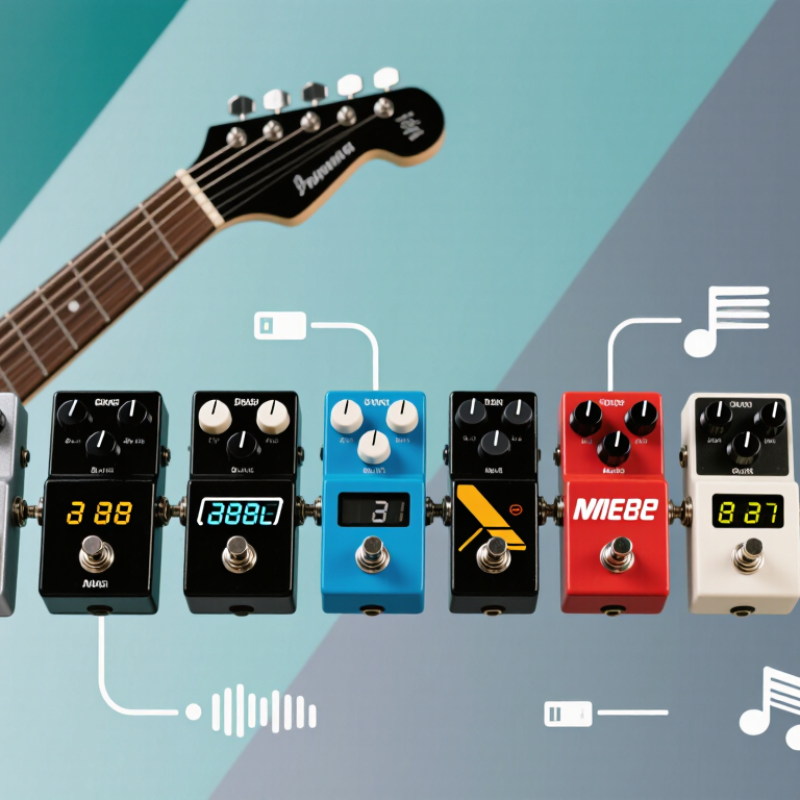
A multi-effects guitar pedal combines several sound-shaping tools in one floor unit. It may offer distortion, compression, chorus, delay, reverb, and amplifier or speaker simulations. Instead of connecting separate pedals with patch cables, you choose effects within the unit and set their order. That order matters. Distortion before delay can keep repeats clear; reversing them may create a rougher, less defined sound.
In many digital units, a converter changes the guitar’s signal into data for a processor to shape. The processor applies selected effects, then converts the result back into an audio signal. Presets store these settings, so one footswitch can call up a complete sound. Other switches may turn individual effects on or off. Small screens help, but they can be awkward under dim stage lights.
In practice, these pedals can simplify a crowded board and make headphone practice easier. They also require a little setup: a sound that works through headphones may feel thin through a loud amplifier. Menu diving can interrupt a rehearsal, too. Not magic. Try building one sound at a time, then adjust effect levels and volume by ear. A modest preset often sits better in a band mix than a chain of effects that sounds impressive alone.
| Rank | Best For | Useful Capabilities | How It Works | What to Check Before Buying |
|---|---|---|---|---|
| 1 | All-in-one practice and performance | Multiple effects, saved presets, headphone output, and an onboard tuner. | A digital processor converts the guitar signal into data, applies selected effects, then converts it back to an audio signal. | Confirm that its outputs suit your headphones, amplifier, or recording setup. |
| 2 | Direct recording | USB audio connection, amp and cabinet simulation, and recording-level outputs. | A modeled amplifier and speaker response can shape the processed signal for connection to a computer or audio interface. | Check operating-system compatibility, available recording channels, and whether USB audio is supported. |
| 3 | Live preset changes | Footswitches for selecting presets, changing effect states, or controlling a built-in expression function. | Footswitches send control commands to the processor, allowing settings to change without reaching for the unit. | Consider switch layout, visibility on a dark stage, and whether one press can change several effects together. |
| 4 | Building custom sounds | Editable effect order, adjustable parameters, and user preset storage. | The processor routes the signal through a chosen chain; changing the order can alter how effects interact. | Look for an interface that makes editing and saving presets straightforward. |
| 5 | Amplifier and speaker modeling | Digital amp models, cabinet models, and outputs intended for headphones, recording, or a full-range speaker system. | Models use digital processing to approximate aspects of amplifier and speaker behavior; they are not the physical amplifier or speaker. | Check whether speaker simulation can be enabled or bypassed for different connection types. |
| 6 | Playing with backing tracks | An auxiliary input or audio playback support, alongside headphone or speaker outputs. | The guitar signal and playback audio can be heard together through the connected output, depending on the unit's routing. | Verify the playback connection and whether its level can be adjusted independently. |
| 7 | Expression-based control | An expression pedal or compatible expression-pedal input for continuous parameter control. | Pedal movement sends a control value that can vary an assigned parameter, such as volume or modulation depth. | Check whether an expression pedal is built in, optional, or unsupported, and which parameters it can control. |
| 8 | Compact pedalboard setups | A smaller enclosure that combines several effect categories and preset switching. | Several digital effects share one processor and housing, reducing the need for separate pedals for each effect. | Balance footprint against the number of footswitches, connections, and controls needed during a performance. |
| 9 | Flexible stage and studio routing | Multiple output options and, on some units, send-and-return connections for external equipment. | Routing options determine where the processed signal goes and where external devices can be inserted in the signal chain. | Inspect the actual input and output connections; routing features differ between models. |
| 10 | Learning effects and signal flow | Common effect types such as distortion, modulation, delay, and reverb, with adjustable settings. | Effects alter different aspects of the signal: distortion changes its harmonic content, modulation varies a parameter over time, and delay or reverb adds reflected sound. | Choose a unit whose controls or editor make effect names, order, and parameter changes easy to understand. |
Start with your playing space and signal chain. A bedroom player may need quiet headphone output, while a gigging player may need quick footswitch access. Count the connections you actually use.
Play a sustained note and switch effects while it rings. Notice pauses or sudden volume changes. Around 10 milliseconds is a useful latency benchmark, not a guarantee of personal comfort.
Louder patches can seem better, even when their tone is not. Match the levels, then listen for brittle highs, noise, or changes that disrupt the song. Listen closely.
Confirm the inputs and outputs you need, such as headphones, computer connectivity, or an amp’s send and return. For four-cable setups, check the routing diagram before connecting anything.
Create a clean baseline through your actual amp or headphones. Adjust output so active and bypassed sounds stay close in volume. Save a copy before editing presets.
Headphones can make a patch sound wide, while a bright speaker may make it harsh. Test one sound at a time through your usual setup. Small details matter.
Not necessarily. Check whether the amp and cabinet simulations, dynamics, and switching suit your playing. I still find feature lists poor at predicting how a pedal feels underfoot.
Make sure the screen and controls are easy to use under dim lights. Test scene changes and output levels at rehearsal volume. Keep notes; the first setup may be uneven.
This guide explores what a Multi-Effects Guitar Pedal does and how it combines different sounds and signal tools in one unit. It explains how effect quality, controls, routing, connectivity, and ease of use can shape a pedal’s tone and performance. Rather than focusing on specifications alone, the overview considers how these features affect everyday playing, practice, recording, and live setups.
You’ll also find a practical framework for comparing pedals to suit different playing styles and experience levels, along with ten standout options to consider in 2026. The final section covers choosing a pedal that fits your rig, connecting it to your existing equipment, and setting it up efficiently. Together, these topics help you make a more informed choice and build sounds that work for the way you play.