Tech 21 NYC Blog — Guitar & Bass Preamp Insights
Insights & News

TECH 21 NYC
OFFICIAL BLOG

Discover tone secrets, SansAmp technical guides, artist setups, and industry news from the pioneers of analog amp emulation.

Tone and Tech Guides by Tech 21 NYC
Analog Innovation

PRO TONE
SHAPING & TECH

Master your guitar and bass tone with deep dives into DI recording, direct amp simulation, and rig setups.

Signature Artist Stories and Demos
Artist Spotlights

SIGNATURE
ARTIST STORIES

Behind the scenes with world-class bassists and guitarists relying on Tech 21 equipment live and in studio.

0%

Choosing an Analog Cabinet Simulator is less about adding vintage color and more about controlling what reaches the mix. IFPI’s Global Music Report 2024 recorded $28.6 billion in global recorded-music revenue for 2023, a reminder of the scale of today’s audio market—not direct evidence of cabinet-simulator sales. For studio buyers, the practical question is simpler: does the unit produce a convincing cabinet response at the level and workflow you need?

Dave Hunter, guitarist and author of The Guitar Amp Handbook, has written extensively about how speakers and cabinets shape amplifier tone. A useful takeaway from that work is that the cabinet is part of the instrument’s voice, not a cosmetic extra. Listen for the details. Does a palm-muted chord stay tight? Do bright notes turn harsh through your monitors? Compare the simulator at matched volume, then check it in a full mix. Small level differences can mislead.

Published research on music markets rarely measures analog cabinet simulators as a separate category, so broad sales forecasts should not decide a purchase. Trust repeatable listening tests, documented specifications, and hands-on studio experience. Check input and output headroom, impedance requirements, cabinet options, and whether the device suits your recording chain. A little uncertainty remains: taste cannot be reduced to a chart. Choose the sound that holds its shape in your room, with your guitar, at working volume.
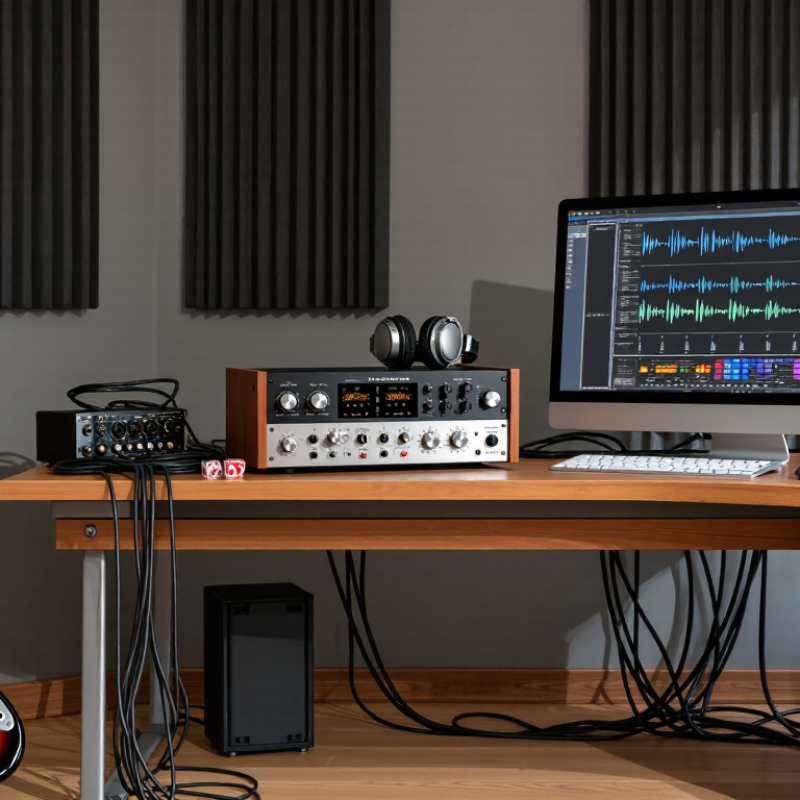
How to Choose an Analog Cabinet Simulator for Your Studio

What an Analog Cabinet Simulator Does in a Studio

How to Choose an Analog Cabinet Simulator for Your Studio

What an Analog Cabinet Simulator Does in a Studio

An analog cabinet simulator shapes a guitar signal to resemble the sound of a speaker cabinet and microphone. It can send a cabinet-like tone directly to an audio interface or mixer, without placing a microphone in front of a loud speaker. That saves space and helps keep late-night sessions quiet. Small detail, big difference.

The circuit typically filters the signal, softening harsh high frequencies and emphasizing a cabinet-style midrange. The result depends on the simulator and the signal feeding it; it will not capture every room reflection or the feel of a real speaker moving air. I’ve found that a direct tone can seem a little sterile at first. That may be a useful cue to adjust the amp, not just the simulator. Check the manual before connecting speaker outputs: some devices need a suitable load, while others are designed for line-level signals.

Tips: Match the simulator to your amp’s output and intended signal level. Record a short test, then listen on headphones and studio monitors. Small adjustments matter. Save a dry take when practical, so you can compare tones later.

How to Choose an Analog Cabinet Simulator for Your Studio

What an Analog Cabinet Simulator Does in a Studio

A cabinet simulator uses analog filtering to approximate the tonal shaping of a guitar speaker and cabinet, helping a direct guitar signal sound less harsh through studio monitors or a recording input. The ranges shown are approximate: guitar speakers and analog simulators vary, and the chart is not a measured response for a particular device. Choose a simulator by listening for a natural high-frequency roll-off and a sound that suits your amp and recording setup.

Which Recording Needs Should Guide Your Choice

How to Choose an Analog Cabinet Simulator for Your Studio

Your recording needs should decide which cabinet simulator belongs in your signal chain. For close-miked guitar, prioritize a convincing speaker-and-microphone response, useful tonal controls, and quiet operation. For direct recording, check whether the unit accepts your instrument or amplifier’s output safely. A line-level input is not always the right match. Listen for harsh upper mids and low-end buildup, especially when monitoring through headphones.

The IFPI Global Music Report 2024 says recorded-music revenues grew 10.2% in 2023. That figure does not tell you which simulator to buy, but it reflects a busy recording market where repeatable sounds can save editing time. Consider your actual sessions: Do you need mono tracking, stereo effects, or quick tone changes between takes? Check output level, noise, and how the simulator behaves with your interface. A spec sheet helps, but it cannot fully predict how a sound will sit in your mix.

Tips: Record a short vocal-and-guitar test, then compare the simulator with your usual mic setup at matched levels. Keep the same playing position and settings. Small differences can fool your ears. It is tempting to choose the most adjustable unit, but extra controls may slow down a simple session.

How to Compare Cabinet Types and Signal Options

An analog cabinet simulator shapes a direct instrument signal to resemble the response of a speaker cabinet. Compare its cabinet voicings with the sound you need in your room, not just a headphone demo. A closed-back style often feels focused and punchy, while an open-back character can sound airier. These are useful tendencies, not rules. Small changes matter.

Check the signal options before choosing. A balanced output can help with longer studio runs, while an unbalanced output may suit a short connection to an interface or mixer. Look for practical controls such as output level, cabinet selection, and a bypass switch. If you record in stereo, confirm the unit supports stereo rather than assuming two sockets mean two independent signals. Tips: Match output levels when comparing settings, and listen through the monitors you use for mixing.

Also consider how the simulator fits your recording chain. Some units are intended for instrument-level signals; others work better after a preamp. Check the manual and avoid guessing from connector shape alone. A bright setting may cut through a dense mix, but it can become tiring on exposed guitar parts. There is no perfectly neutral choice, and I still find that a setting that sounds impressive alone can sit poorly beside drums. Record a short phrase, compare options at matched volume, and keep the take that serves the arrangement.

What to Evaluate in Build Quality and Compatibility

Build quality starts with the enclosure, not its weight alone. Check whether the metal case sits flat and whether the jacks resist gentle cable movement. Turn each control slowly. Small details matter. A loose socket can crackle when a cable shifts, even if the unit sounds fine during a quick test. Look for firm switches, smooth control travel, and labels that remain readable under studio lighting.

Compatibility depends on the rest of your signal chain. Match the simulator’s input and output levels to your amplifier, interface, or recording console. Check whether its connections are balanced or unbalanced, and confirm the required cable types before buying. Do not assume that every unit accepts instrument-level signals or drives every interface cleanly. A quiet test matters. Listen for hum with your usual cables and power supply, not only in a showroom.

Inspect the underside and controls for signs of easy service, such as accessible fasteners and clearly marked connections. Knobs should stay put when you patch nearby cables. A tidy case can still conceal awkward placement or fragile parts. It is easy to overvalue a heavy chassis; weight alone proves little. I would also check how the unit fits on your desk, because a connector that presses against a wall becomes annoying fast.

How to Test a Simulator in Your Studio Setup

Set up the simulator where it will actually live: between your amplifier or preamp and your recording interface. Use the same guitar, cable, and playing level for every test. Keep the monitor volume steady. Small changes can make a tone seem better simply because it is louder.

Record a short passage with clean notes, hard strums, and palm-muted chords. Try the simulator’s available cabinet settings, then compare its output with a trusted reference recording at matched loudness. Listen for harsh upper mids, loose low notes, and pick detail that disappears. Check both studio monitors and headphones. They reveal different problems. If the unit has a bypass, compare it carefully; some signal paths change level or feel even when the tone seems similar. Make notes after each pass. Memory is unreliable.

Test at your normal working volume, then at a quieter level. A setting that sounds impressive when loud may become thin during late-night editing. Leave the controls untouched for a few minutes, listen again, and ask whether the sound still fits your mix. This part can feel less scientific. It is still useful. Don’t judge only by solo guitar; a dense arrangement may expose a muddy low end that sounded pleasing alone.

FAQS

What should guide my choice of an analog cabinet simulator?

Match it to your recording setup and sound goals. For close-miked guitar tones, listen for realistic speaker response, useful controls, and quiet operation. Your actual mix matters more than a flashy solo tone.

Can I connect any output directly to a cabinet simulator?

No. Check whether it accepts instrument-level or preamp-level signals. A line-level output may not be a safe or suitable match. Read the unit’s manual; connector shape alone tells you little.

How do cabinet voicings usually differ?

Closed-back styles often sound focused and punchy. Open-back styles can feel airier. These are tendencies, not rules. Try both with the same short guitar phrase.

Which outputs and controls are worth checking?

Look for output level, cabinet selection, and bypass. A balanced output can help with longer cable runs. Confirm stereo support if you need stereo; two sockets do not guarantee it.

How can I compare settings fairly?

Keep the guitar, cable, playing position, and monitor volume steady. Match levels between settings. Louder often sounds better at first. It can fool you.

What should I listen for during a test?

Record clean notes, hard strums, and palm-muted chords. Listen for sharp upper mids, loose low notes, and missing pick detail. Check monitors and headphones; they reveal different problems.

Should I judge the sound by itself?

No. Try it beside drums or other instruments. A pleasing solo tone may add muddy low end to a dense mix. I still make that mistake sometimes.

Is a more adjustable simulator always better?

Not necessarily. Extra controls can slow down a simple session. Test at your usual volume and quieter levels, then take a short break and listen again. Memory is unreliable.

Conclusion

Choosing an Analog Cabinet Simulator starts with understanding how it shapes a studio signal. It can recreate the tonal character and response of a speaker cabinet, helping you record or monitor guitar sounds without relying on a physical cabinet in every situation. The right choice depends on your needs, such as direct recording, quiet practice, or flexible sound shaping, as well as the instruments and equipment you already use.

Compare available cabinet styles and signal options, including how the unit handles inputs, outputs, and tone adjustments. Consider build quality, ease of operation, and compatibility with your amplifier, interface, and other studio gear. Before making a decision, test the simulator in your own setup. Listen for a natural response, useful tonal range, and consistent performance at the levels you typically record.

Alexander

Alexander

Alexander is a professional marketing specialist dedicated to helping businesses understand, evaluate, and benefit from practical product solutions. With a strong knowledge of the company’s offerings, market trends, customer needs, and industry developments, he creates clear, informative, and......